Start here
Connect your helpdesk and tools
What connects today, how to connect it, and what is not there yet.
6 min read
Where to connect
In the app: Settings → Integrations. Each tool shows its state: Ready means you can sign in now; others tell you what your admin has to set up first. Investigate works without any connector, so you can paste tickets while you wait.
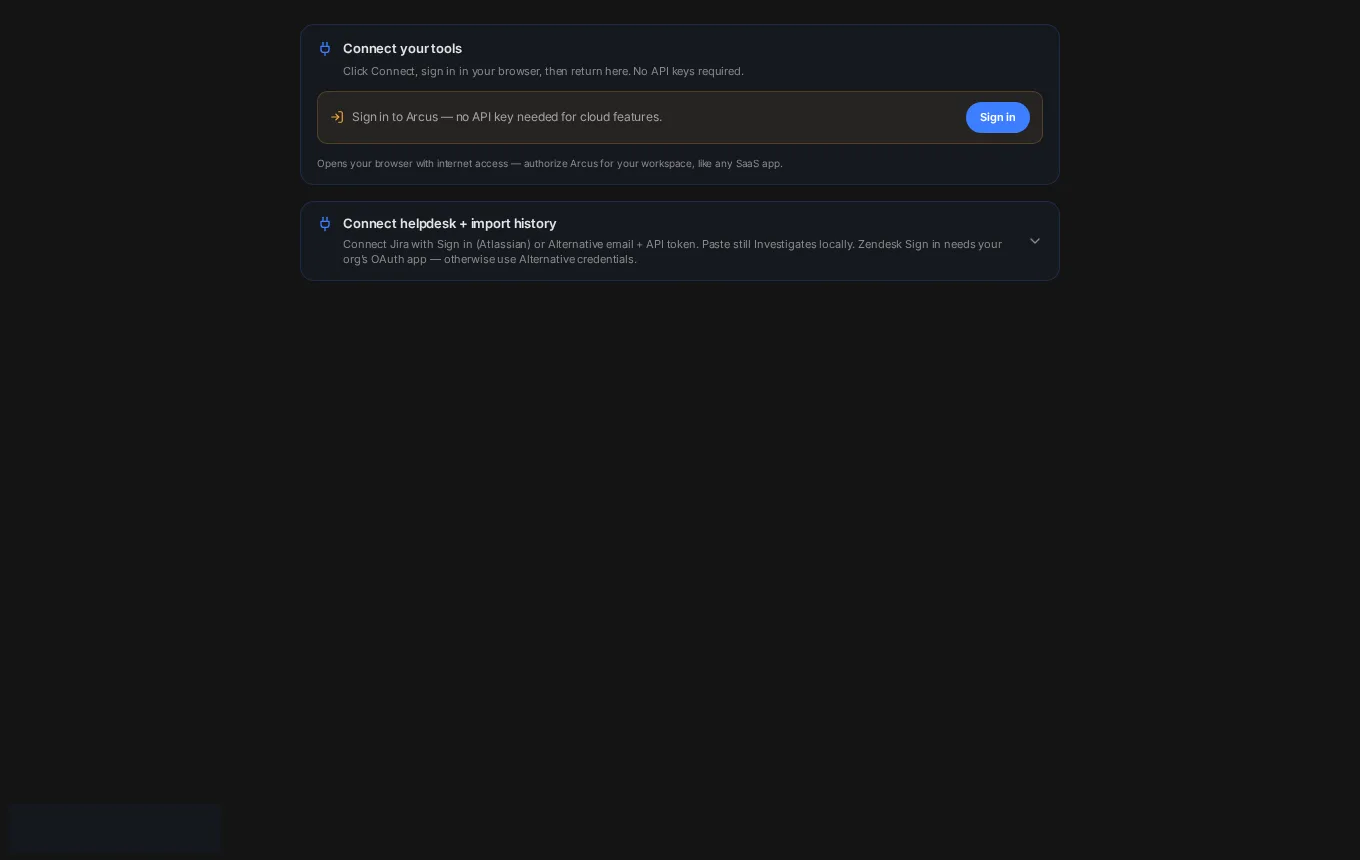
Helpdesks (your queue, first responses, Insights)
- Zendesk: your admin saves the org’s Zendesk OAuth app (Unique Identifier, Client secret, Subdomain) once, then everyone signs in. An API token also works. Step-by-step: Zendesk.
- ServiceNow: sign-in works after your admin registers an org OAuth app. Token fields are available meanwhile. Step-by-step: ServiceNow.
- Jira (Jira Service Management): email + API token works today. Atlassian sign-in works after your admin adds the org’s Jira OAuth app. Step-by-step: Jira.
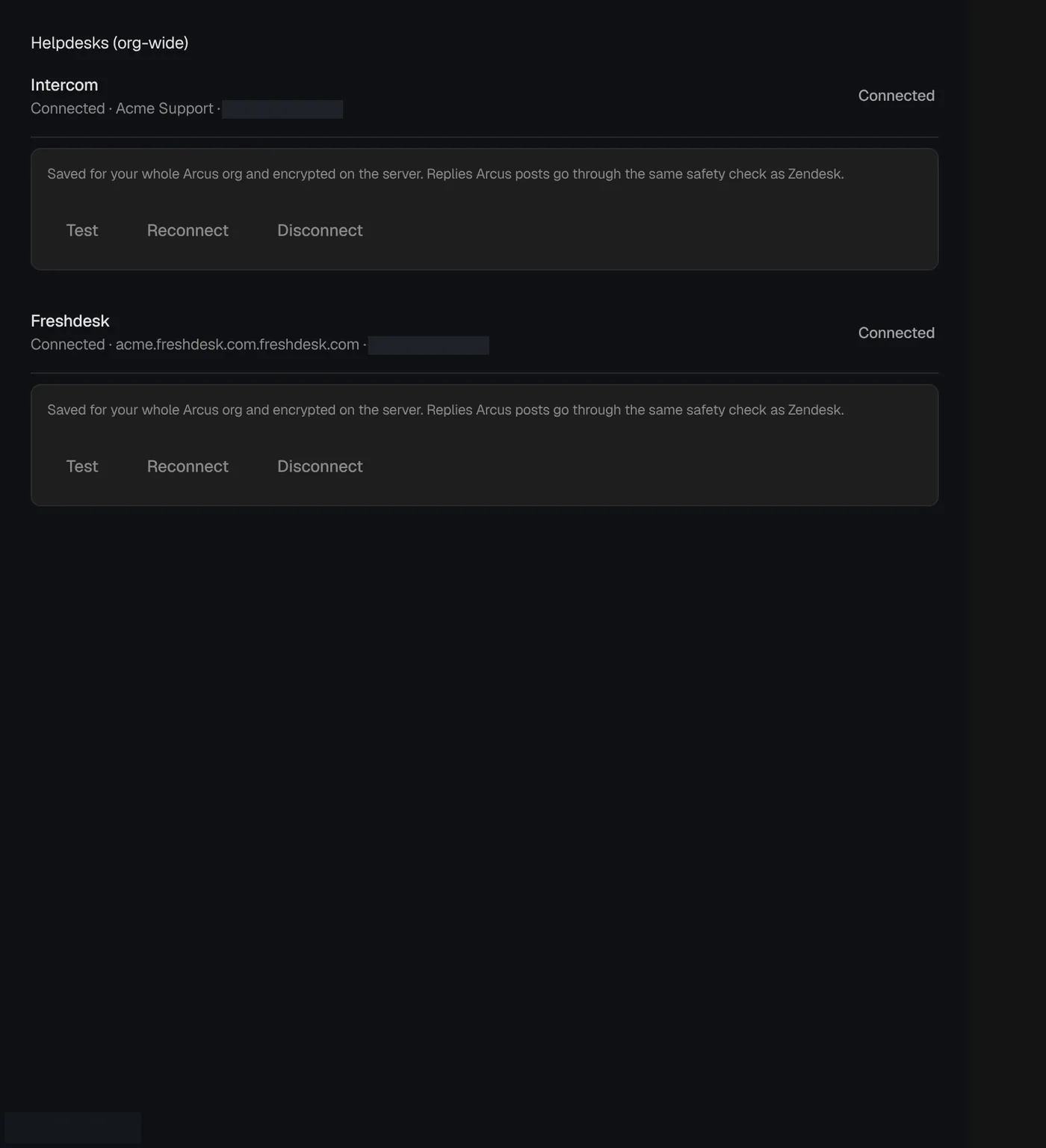
- Intercom, Freshdesk and Salesforce Service Cloud: connect under Helpdesks (org-wide) for assigned tickets, first response and Insights.
- Home metrics source: Auto prefers Zendesk, then Jira, then ServiceNow. You can pin one.
Engineering, chat, calendar and observability
- Jira for bugs: the File bug draft can be filed to Jira once Jira is connected and external posts are on. Copy markdown always works.
- GitHub and local repositories: sign in to search GitHub, or add a local folder so the index stays on your computer. See Repositories and code.
- Slack: sign in, then type @slack in a question to search threads you can already see. Arcus never posts unless you turn posts on and approve the message.
- Google Calendar and Zoom: sign in to see upcoming customer calls with a pre-call brief.
- HubSpot and Salesforce CRM: connect under Settings → Connectors (private app token or Salesforce credentials). Each ticket shows plan, contract value, renewal and owner when matched.
- Logs and metrics (Grafana, Loki, Prometheus, Datadog and other MCP tools): add them in Settings → Tools & MCP. See Observability.
Not available yet
- Microsoft Teams chat search is coming soon; the Teams incoming webhook can post only.
- Linear sign-in is not available right now.
- Public replies on Jira Service Management tickets are not supported. Use an internal comment or copy the reply.
- Missing a tool? Email daarishlomo@gmail.com.
Nothing goes out by default
External posts start off for every org. Until an admin turns them on in Settings → Security & privacy, Arcus can read and draft but cannot post a reply, comment, Slack message or bug.
Next
Zendesk: connect step by step
Create the Zendesk OAuth client (or API token), paste it into Arcus, sign in, and see your Cases queue.
Jira: tickets and filing bugs
Connect Jira for the queue and for File bug. Email + API token works today; org OAuth is optional.
Choose your AI provider (and bring your own key)
Each org picks the one AI provider that receives its data. Optional: use your own API key.